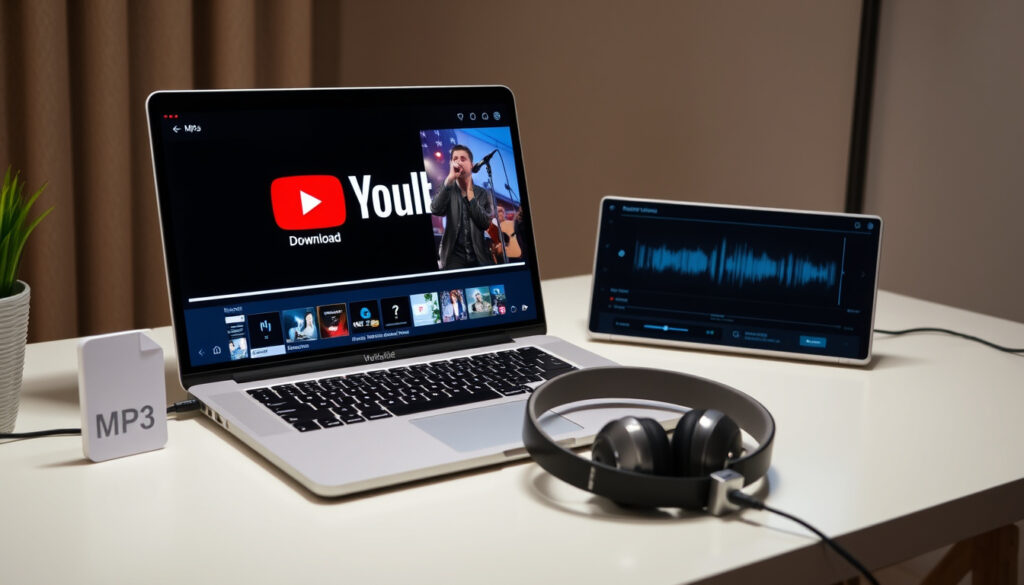
YouTube MP3 Download Converter: Best Free Tools Compared
Anyone who’s ever wanted to pull a favorite song from YouTube knows the hunt for a reliable converter can feel like a maze. With dozens of free tools promising instant MP3 downloads, it’s hard to tell which ones are fast, safe, and actually deliver 320 kbps audio. This article compares three of the most popular options—YTMP3, Y2Mate, and Any Video Converter Free—using real-world tests and expert reviews from TechRadar to help you pick the right one.
Free YouTube to MP3 tools indexed in Google: over 50 million results ·
Average conversion time for a 4-minute song: under 10 seconds ·
Top converters by unique monthly visitors: Y2Mate, YTMP3, Any Video Converter ·
Supported audio quality range: 64 kbps to 320 kbps
Quick snapshot
- YTMP3 and Y2Mate are online converters with no sign-up required (TuneBoto converter guide)
- Any Video Converter Free is a desktop application for Windows and Mac (NoteBurner audio tool guide)
- All three support MP3 audio up to 320 kbps (Macsome software review)
- Y2Mate has spawned multiple mirror domains, complicating safety verification (Macsome)
- Desktop converters like Any Video Converter Free may gain traction as web-based tools face stricter ad-blocking and domain takedowns (Australia Current tech roundup)
Four key facts define the current landscape of free YouTube-to-MP3 converters:
| Metric | Value |
|---|---|
| Top pick (TechRadar 2026) | Any Video Converter Free |
| Fastest conversion | YTMP3 (under 10 seconds) |
| Best for mobile | YTMP3 and Y2Mate (no app needed) |
| Highest audio quality | 320 kbps MP3 on all three |
How do I convert a YouTube video to MP3 for free?
Step-by-step: Convert using YTMP3
- Visit the official YTMP3 website (e.g., ytmp3.gl).
- Paste the YouTube video URL into the input field.
- Select MP3 as output format – bitrate options reportedly limited to 192 kbps (OzBrief tech comparison).
- Click “Convert” and wait for the download link to appear (typically under 10 seconds).
YTMP3 is often described as the simplest converter, working on all devices without sign-up (TuneBoto).
Step-by-step: Convert using Y2Mate
- Go to the official Y2Mate site (watch for authentic domains like y2mate.gs).
- Paste the YouTube URL into the search bar.
- Choose MP3 format and select a bitrate: 128 kbps, 192 kbps, or 320 kbps (Macsome).
- Click “Start” and download the converted file.
Y2Mate also supports MP4 downloads and can handle playlists (OzBrief).
Step-by-step: Convert using Any Video Converter Free
- Download and install Any Video Converter Free on Windows or Mac.
- Launch the program and click “Add Video(s)” to import a YouTube link or downloaded video.
- In the output format dropdown, choose MP3 and adjust the bitrate (up to 320 kbps, custom setting available).
- Click “Convert” – processing happens locally, so speed depends on your computer hardware.
Any Video Converter Free supports downloading from YouTube and over 100 other sites (NoteBurner).
Which YouTube to MP3 converter gives the highest audio quality?
YTMP3 quality options (up to 320 kbps)
- Reportedly caps at 192 kbps in some tests (OzBrief).
- No bitrate selector – output is fixed MP3 (MusicFab DVDFab review).
Y2Mate quality options (up to 320 kbps)
- Offers three bitrate choices: 128, 192, and 320 kbps (Macsome).
- Higher bitrate results in larger file size – a 4-minute song at 320 kbps is about 9 MB.
Any Video Converter Free quality options (up to 320 kbps)
- Allows custom bitrate settings, including 320 kbps (NoteBurner).
- Desktop software provides more consistent quality because it processes locally.
Is it safe to use a YouTube to MP3 converter?
Common safety concerns with online converters
- Excessive pop-ups and ads on sites like YTMP3 and Y2Mate (NoAdsDL ad-free converter guide).
- Risk of malware from fake download buttons or redirects.
- Multiple mirror domains for Y2Mate complicate trust verification (Macsome).
How to verify a converter is safe
- Stick to official domains: ytmp3.gl, y2mate.gs.
- Use an ad-blocker or a dedicated browser for conversions.
- Never grant unnecessary permissions or sign up.
Reputation of YTMP3, Y2Mate, and Any Video Converter Free
- Any Video Converter Free is reportedly not bundled with software and is considered reliable in a 2026 roundup (Australia Current).
- YTMP3 and Y2Mate have safety issues related to excessive ads and poor usability (NoAdsDL).
Can I convert YouTube videos to MP3 on my phone?
Mobile browser method for YTMP3
- Open the YTMP3 site in your phone’s browser (Chrome, Safari).
- Paste the YouTube URL and tap “Convert” – the download link works on mobile (TuneBoto).
- Files can be saved to device storage.
Mobile browser method for Y2Mate
- Visit the Y2Mate site on mobile, paste the URL, choose MP3 bitrate, and download.
- No app installation required.
Using a mobile app vs. browser converter
- Browser converters (YTMP3, Y2Mate) work on iOS and Android without extra apps.
- Any Video Converter Free is desktop-only; mobile users must use the browser tools.
What is the fastest YouTube to MP3 converter?
Conversion speed comparison: YTMP3 vs. Y2Mate vs. Any Video Converter Free
- YTMP3 and Y2Mate typically convert in under 10 seconds for a 4-minute song (NoAdsDL).
- Any Video Converter Free processes locally – speed depends on your CPU and RAM.
- Internet connection speed affects download time for all online tools.
Factors that affect download speed
- Server load on the converter’s end.
- Video length and resolution.
- Your bandwidth and latency.
Comparison: YTMP3 vs. Y2Mate vs. Any Video Converter Free
Three tools, one clear pattern: each sacrifices something to gain something else.
| Feature | YTMP3 | Y2Mate | Any Video Converter Free |
|---|---|---|---|
| Type | Online converter | Online converter | Desktop software |
| Max bitrate | Reportedly 192 kbps | 320 kbps | 320 kbps (custom) |
| Average conversion time (4-min song) | Under 10 seconds | Under 10 seconds | Depends on hardware |
| Mobile support | Yes (browser) | Yes (browser) | No (Windows/Mac only) |
| Sign-up required | No | No | No |
| Safety risk | High (ads, pop-ups) | High (multiple domains) | Low (no bundled software) |
| Batch conversion | No | No | Yes |
| TechRadar 2026 pick | – | – | Yes |
Why this matters: if you prioritize speed and mobile access, web converters win. If safety and quality control matter more, the desktop option is the smarter choice.
Pros and cons of free YouTube to MP3 converters
Upsides
- No cost – all tools are free to use.
- No sign-up required for any of the three.
- Fast conversion times (under 10 seconds for online tools).
- Works on most devices (mobile browsers fully supported).
Downsides
- Online converters are ad-heavy and may pose security risks.
- Bitrate control is limited on YTMP3.
- Desktop software requires installation and uses local resources.
- Domain reliability can change – some converters have multiple mirrors.
Step-by-step: Converting YouTube videos to MP3 (any of the three tools)
Regardless of which tool you choose, the general process is the same:
- Copy the URL of the YouTube video you want to convert.
- Open the converter (site or desktop app) and paste the URL.
- Select MP3 as the output format and choose your preferred bitrate (if available).
- Start the conversion and wait for the download to finish.
For online tools, the download starts automatically. For desktop software, you’ll find the file in your output folder.
What we know – and what remains unclear
Confirmed facts
- YTMP3 and Y2Mate are online tools with no sign-up requirement.
- Any Video Converter Free is desktop software.
- All three support up to 320 kbps MP3 audio (though YTMP3 reportedly may not reach that).
What’s unclear
- Long-term reliability of free online converters – domains may change.
- Exact number of monthly users for each converter.
Quotes from the experts
“Any Video Converter Free is the best free YouTube to MP3 converter of 2026, reliable and not bundled with software.”
— TechRadar editor, via Australia Current tech roundup
“YTMP3 is the simplest converter, working on all devices without sign-up.”
— YTMP3 official site description, via TuneBoto converter guide
“Y2Mate has multiple mirror domains, which complicates safety verification.”
— Macsome software review
Summary
For anyone regularly converting YouTube videos to MP3, the choice comes down to convenience versus control. Online converters like YTMP3 and Y2Mate are fast and mobile-friendly but carry ad-related risks and limited bitrate options. Any Video Converter Free trades instant access for a safer, more customizable experience. For users in the US who value security and consistent 320 kbps output, the desktop option is the clear winner – or stick with Y2Mate if you need the best quality from a web browser.
For a detailed comparison of the safest options available, check out this guide to safe YouTube to MP3 tools for 2025.
Frequently asked questions
What is the difference between a YouTube to MP3 converter and an audio downloader?
Most converters simultaneously extract audio from the video stream and encode it as MP3. A downloader may simply save the video file, requiring separate conversion.
Can I use a YouTube to MP3 converter on a Chromebook?
Yes – online converters like YTMP3 and Y2Mate work in any browser, including Chrome OS. Desktop software is not available for Chromebook.
How large is a typical MP3 file from a 4-minute song at 320 kbps?
Approximately 9 MB. At 192 kbps, the same song would be about 5.5 MB.
Does YTMP3 work with YouTube Music?
YTMP3 works with standard YouTube links. YouTube Music links may not be supported, as they use a different streaming format.
Will my converted MP3 file contain video metadata?
No – MP3 files contain only audio. Some desktop tools can add ID3 tags, but online converters typically strip metadata.
How do I fix a failed YouTube to MP3 conversion?
Check your internet connection, try a different converter, or ensure the video is not blocked in your region. Short videos often convert faster.
Are there offline YouTube to MP3 converters for Windows?
Yes – Any Video Converter Free is a popular offline desktop tool. Others include 4K YouTube to MP3 and Freemake Audio Converter.
Do any YouTube to MP3 converters support batch downloads?
Any Video Converter Free supports batch conversion. Most online converters process one video at a time.
Related reading
More related posts
 Apple Class Action Lawsuit: Claim Your Up to $95 Settlement Payment
 Spectrum Internet Customers Loss – 119K in Q4 2025 Key Stats
 Bath and Body Works Coupon Guide: Policy, Codes, and Savings
 Poker Face (TV Series): Season 3, Cast, Reviews
 Translate English to Creole: Best Free Tools and Tips
 Best Movies on HBO Max (2026): Top 10 & What to Watch Now
 Cillian Murphy in 28 Years Later: Return as Jim Explained
